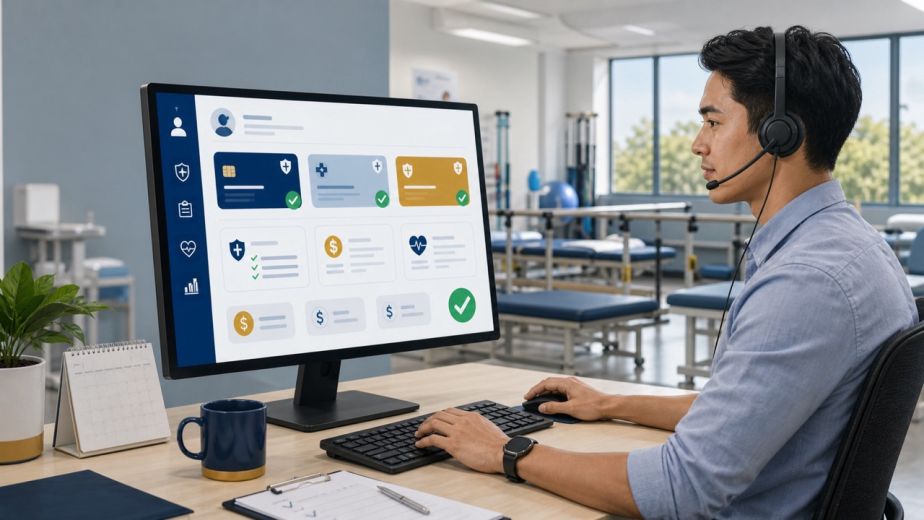
Physical therapy virtual assistant onboarding doesn’t have to be a project in itself — but for most first-time clinic owners, it feels that way.
You became a physical therapist to help people move better. Somewhere along the way, you also became the receptionist, the biller, the scribe, and the social media manager. Most clinic owners know they need help. The ones who hesitate almost always say the same thing: “I just don’t know how to get someone up to speed without it becoming a whole project.”
That’s a fair concern. And it’s the exact reason PhysioVA built its onboarding process the way it did.
The #1 Fear in PT Virtual Assistant Onboarding: Handing Off Your Phones
For first-time VA clients, the phones are the scariest part.
It makes sense. Your phone is the first impression of your clinic. A dropped call, a missed follow-up, or an awkward interaction can cost you a patient. So the idea of handing that off to someone working remotely feels risky.
Here’s what actually happens.
PhysioVA sets up a shared Google Voice (VoIP) number for your clinic (or connects to your existing one). Your VA gets access to make and receive calls on behalf of your practice, with defined coverage windows that fit your schedule — typically morning blocks like 8 to 10 AM and end-of-day windows from 4 to 6 PM, when new patient inquiries and follow-up calls are heaviest.
You’re not handing over control. You’re adding a trained person to the front of your clinic who already understands PT terminology, insurance basics, and what patients want to know before their first visit.
By week one, your VA handles inbound inquiries, answers scheduling questions, and follows up with leads — without pulling you out of a treatment session every time the phone rings.
How Each Task Gets Handed Off During PT VA Onboarding
Here’s a practical breakdown of how common clinic tasks transition during physical therapy virtual assistant onboarding:
Phones and patient communication. Your VA manages inbound calls and patient follow-ups using agreed-upon scripts and your clinic’s preferred tone. They escalate only what genuinely needs your attention, which turns out to be much less than you’d expect.
Email replies. Your VA drafts responses in your voice using a simple shared inbox setup. You review and approve early on. Within a few weeks, most routine replies go out without you touching them.
Superbills and billing admin. Week one looks like shadow work — your VA observes your process, asks questions, and builds a reference doc. By week four, they’re generating superbills, tracking outstanding items, and flagging anything that needs your eyes. You’re not starting from scratch every time; you’re transferring a system.
Scribing after sessions. If you’re on Practice Better or a similar EMR, your VA joins remotely after sessions to complete SOAP notes or documentation based on your verbal summary or session recording. PT-trained VAs pick this up faster because they already know the clinical language, common diagnoses, and what a documentation-ready session note actually needs.
Social media. Most clinic owners don’t need a VA to create content — they need someone to take the content they already have and actually post it. Your VA handles the upload, caption formatting, hashtags, and scheduling. You stay in the creative seat. They handle the execution.and the scheduling. You stay in the creative seat. They handle the execution.
In-House Struggle vs. PhysioVA Advantage
| Task | Doing It Yourself / General VA | PhysioVA Advantage |
|---|---|---|
| Phones | Calls interrupt treatment; no coverage during peak hours | Dedicated coverage windows via Google Voice; PT-familiar responses |
| Emails | Piling up; responses feel inconsistent | Managed in your voice; drafts ready for quick approval or sent independently |
| Superbills | Done at the end of a long day; errors slip through | Handled same day; escalation only when needed |
| Scribing | You’re staying late to finish notes | Remote documentation on Practice Better after sessions; PT-trained from day one |
| Social Media | Content sits on your phone, never gets posted | You create, your VA publishes; simple, consistent workflow |
Why PT Training Makes VA Onboarding Faster on Tools Like Prompt and Practice Better
A general VA needs weeks to understand your EMR, your documentation style, and the clinical shorthand you use every day.
A PhysioVA comes in already familiar with the structure of a SOAP note, the difference between a plan of care and a progress note, and why it matters whether you document active vs. passive ROM. On Practice Better specifically, your VA can be oriented to your account setup, your templates, and your preferred format quickly because the clinical foundation is already there.
You’re not teaching physical therapy. You’re teaching your preferences.
HIPAA and Security: What You Need to Know
Your PhysioVA operates under a signed Business Associate Agreement (BAA) and follows HIPAA-compliant communication practices from day one. Shared tools like Google Voice and your EMR are accessed securely, and patient information is never stored or transmitted outside of your approved platforms. You’ll have clear documentation of how your VA handles PHI, and you can set access permissions that match your comfort level as the relationship grows.
For more on telehealth and remote staff compliance standards, HHS.gov maintains current guidance worth bookmarking.
Common Questions About Physical Therapy Virtual Assistant Onboarding
If you still have questions about physical therapy virtual assistant onboarding, here’s what first-time clients ask most often.
How long does it take to onboard a physical therapy virtual assistant? Most PhysioVA clients are fully operational within two weeks. Week one covers phones, email setup, and observational billing. Week two moves into independent task execution with check-ins.
Do I need special software to let my VA make calls for my clinic? No. Google Voice or any VoIP works on any device and allows shared access, so your VA can make and receive calls using your clinic’s number without any complex phone system setup.
What if my VA makes a mistake during the first few weeks? PhysioVA builds in a structured escalation layer during onboarding. Your VA is trained to flag uncertainty rather than guess, so errors are caught early and corrected before they become habits.
Your First VA Isn’t a Risk. It’s the System That Gives You Your Time Back.
The clinics that wait another six months to hire a VA don’t get six months of safety. They get six more months of staying late, missing calls, and doing documentation instead of resting.
PhysioVA’s onboarding process exists specifically to remove the learning curve for first-time VA clients. You get a PT-trained assistant who already knows your world, a structured week-one setup for phones, email, and documentation, and a team making sure nothing falls through the cracks.
Ready to see what your clinic looks like when you’re not doing everything yourself?
Book a free 30-minute discovery call and let’s map out exactly how a PhysioVA fits into your practice.